Business Card Product Mockup V.3: A Practical Evaluation for Designers and Marketers
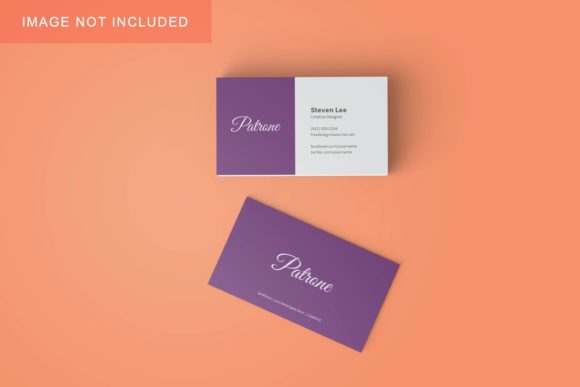
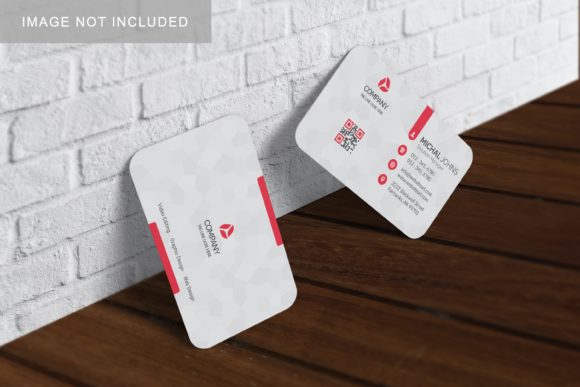
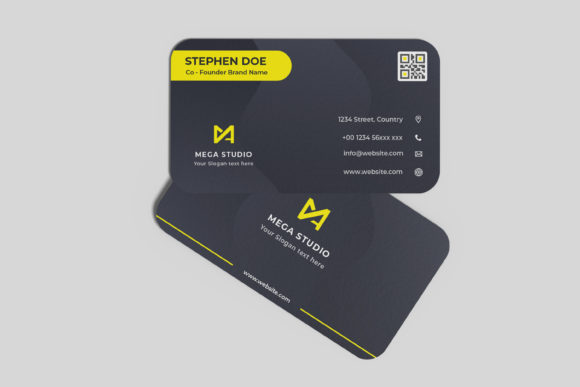
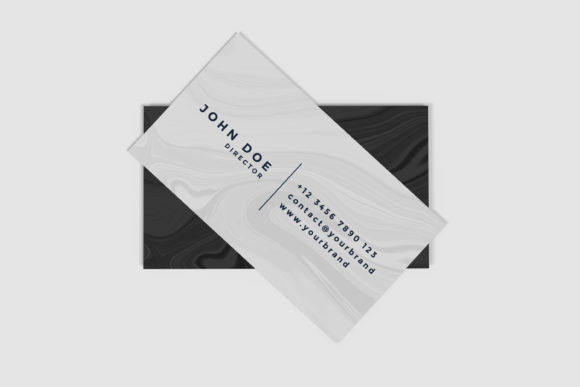
Business Card Product Mockup V.3 is a digital design resource that enables professionals to present business card concepts in realistic, context-aware environments—without needing photography, 3D software, or advanced compositing skills. Unlike static templates or generic PSD files, this version emphasizes flexibility in lighting, material response, and perspective control, allowing users to simulate how a card would appear on textured surfaces, under varied ambient conditions, or alongside complementary branding assets like pens, notebooks, or smartphones.
What Sets Business Card Product Mockup V.3 Apart
The “V.3” designation reflects iterative improvements grounded in real-world usage feedback—not just cosmetic updates. Key distinctions include:
- Layered realism: Smart object integration supports precise placement of front/back designs while preserving subtle shadow gradients, micro-reflections, and paper grain texture—even when adjusting angle or scale.
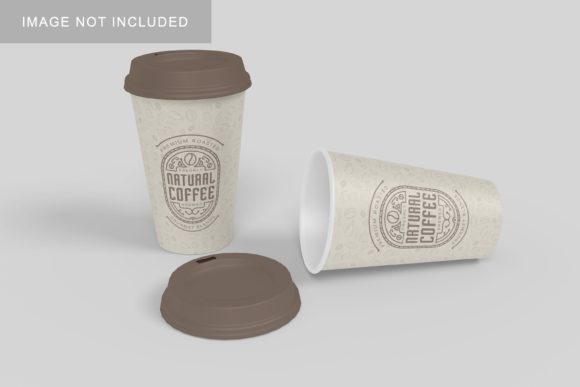
- Contextual adaptability: Includes multiple scene variants (e.g., desk surface with coffee cup, minimalist shelf, hand-held grip) rather than a single isolated view, supporting diverse presentation needs.
- Non-destructive controls: Lighting intensity, ambient occlusion, and edge softness are adjustable via grouped layers and layer masks—no rasterizing or flattening required to refine output.
- Cross-format readiness: Delivered in layered PSD format compatible with Photoshop CC 2020+, but also includes pre-rendered PNGs with transparency for quick web use or client previews.
These features collectively reduce the time between concept iteration and polished presentation—especially valuable during early-stage client reviews or internal stakeholder alignment.
How It Fits Within the Broader Mockup Ecosystem
Business Card Product Mockup V.3 occupies a middle ground between ultra-minimalist flat mockups and full 3D renderers. Flat mockups (often single-layer PNGs with basic drop shadows) are fast but lack environmental credibility; they work well for wireframing or rapid ideation but fall short when conveying tactile quality or spatial context. At the other end, tools like Blender or Adobe Dimension offer photorealistic rendering but require significant learning investment, hardware resources, and setup time per variation.
V.3 avoids both extremes. It’s built for designers who need credible, repeatable visuals without stepping into modeling or animation workflows. Its strength lies not in technical novelty but in thoughtful constraints: predictable lighting behavior, consistent material response, and intuitive layer organization. That makes it especially suitable for agencies producing multiple brand variations, freelancers managing tight deadlines, or marketing teams standardizing asset libraries across departments.
When Realism Needs to Serve Clarity—Not Just Aesthetics
Consider a scenario where a designer is presenting two business card options—one matte recycled stock, another glossy foil-stamped. With earlier mockup versions, distinguishing surface finish relied heavily on naming conventions (“Matte_V1.psd”) or manual overlay adjustments. Business Card Product Mockup V.3 embeds subtle but perceptible differences in reflectivity and diffusion directly into the base layers. A viewer can intuitively grasp the tactile contrast without reading annotations—supporting faster decision-making in review sessions.
This matters most when audience attention is fragmented: a busy executive scanning a PDF deck, a remote team reviewing assets asynchronously, or a non-design stakeholder assessing brand cohesion. Visual fidelity here serves communication efficiency—not just polish.
Tradeoffs to Acknowledge Before Adoption
No mockup solution eliminates all variables—and Business Card Product Mockup V.3 is no exception. Its strengths come with practical boundaries:
- Limited customization beyond provided scenes: While lighting and positioning are adjustable, swapping background elements (e.g., replacing the coffee cup with a laptop) requires manual masking or external assets—not built-in scene-swapping functionality.
- PSD dependency: Users without access to Adobe Photoshop (or compatible editors like Affinity Photo with PSD support) will be unable to leverage smart object editing or layer-based controls. The included PNGs are usable but forfeit editability.
- No dynamic typography or live data integration: Unlike some web-based mockup generators, V.3 doesn’t auto-populate names, titles, or contact details from spreadsheets or CMS fields. Each variant must be manually updated.
- Fixed aspect ratios per scene: While scaling is flexible within reason, extreme cropping or re-framing may compromise shadow integrity or perspective consistency—particularly in angled views.
These aren’t flaws so much as intentional scope decisions. They reflect a focus on reliability over breadth—prioritizing consistent output for common use cases rather than attempting universal coverage.
Comparing Fit Across Common Scenarios
Choosing whether Business Card Product Mockup V.3 aligns with your workflow depends less on feature count and more on recurring tasks and constraints:
- You regularly produce 5–20 unique card designs per month for different clients or departments: V.3’s organized layer structure and reusable scene logic significantly cut down repetitive setup time compared to building each mockup from scratch.
- You rely on consistent visual language across deliverables (e.g., matching lighting tone in presentations, pitch decks, and printed samples): Its calibrated ambient settings help maintain tonal continuity—something harder to replicate across disparate tools or ad-hoc Photoshop actions.
- You frequently revise based on feedback about material feel or spatial presence: The ability to toggle between matte/gloss presets—or adjust edge softness to suggest thickness—makes iterative refinement tangible without reshot photography.
- You need outputs for both print proofs and social media previews: The included high-res PNGs (300 DPI, RGB and CMYK-ready variants) and layered PSDs cover both ends of the production chain.
In contrast, if your needs center on animated previews, interactive client presentations, or batch generation from CSV data, you’ll likely benefit more from dedicated mockup platforms or custom script solutions—even if they demand more setup overhead.
Making the Call: Right Tool, Right Moment
Business Card Product Mockup V.3 excels when the goal is efficient, credible visualization—not experimental rendering. It’s strongest for professionals who value repeatability, understand Photoshop’s layer model, and prioritize clarity over novelty in stakeholder communication.
It’s less suited for those seeking plug-and-play automation, cross-platform editing outside Adobe ecosystems, or highly customized environmental storytelling (e.g., cards placed inside a branded retail kiosk or embedded in AR previews). In those cases, evaluating alternatives—whether browser-based mockup services, parametric 3D tools, or custom-built solutions—becomes necessary.
Ultimately, the value of Business Card Product Mockup V.3 isn’t in replacing other tools but in filling a specific gap: dependable, editable, and contextually grounded representation for business card concepts—without requiring a rendering studio or months of training. When used intentionally, it supports better decisions, clearer feedback, and more confident presentations—especially in situations where time, consistency, and visual accuracy carry equal weight.