Business Card Mockup V1: A Practical Tool for Visualizing Your Brand Identity
Whether you're launching a new freelance service, rebranding your small business, or preparing for a networking event, seeing your design in context matters. That’s where Business Card Mockup V1 comes in—not as a design tool, but as a smart, realistic preview layer that bridges the gap between digital artwork and real-world impression.
What Exactly Is Business Card Mockup V1?
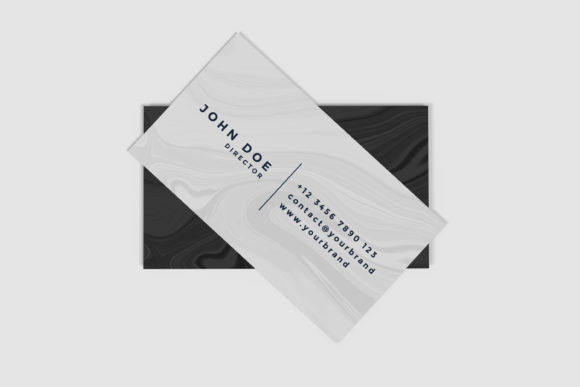
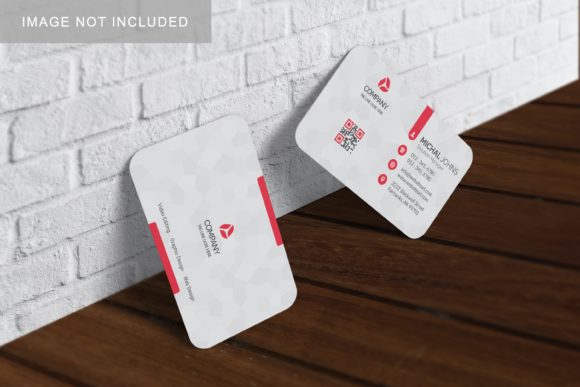
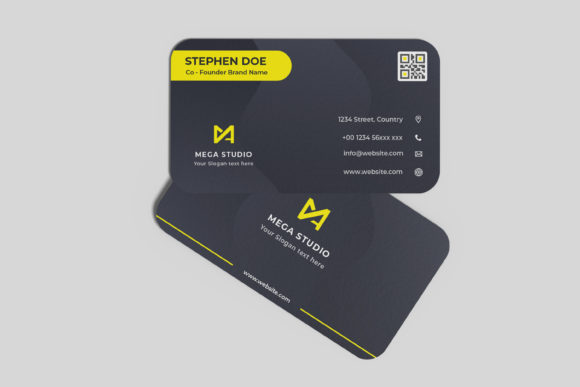
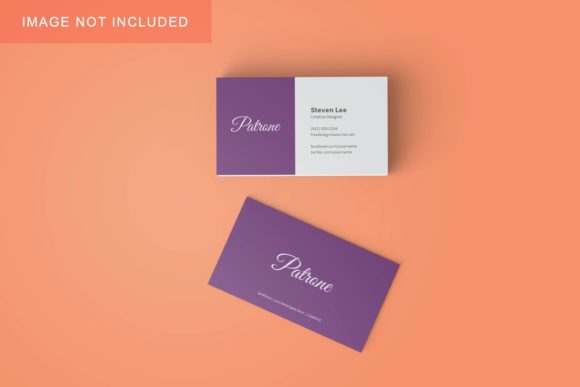
Business Card Mockup V1 is a high-fidelity, layered PSD (Photoshop) file designed to showcase your business card design on a photorealistic, professionally styled surface. Unlike generic templates or flat previews, it simulates lighting, shadows, texture, and subtle perspective—so your logo, typography, and color choices appear as they would when printed and held in hand.
It’s not software. It’s not a subscription. It’s a single, well-structured file you open in Adobe Photoshop (or compatible editors like Affinity Photo), drop your design into a designated smart object layer, and instantly generate a presentation-ready image—no 3D modeling skills or rendering time required.
Key Characteristics That Set It Apart
- Realistic Material Rendering: The mockup features a matte-finish card resting on a soft linen-textured surface with natural ambient light and gentle cast shadow—ideal for conveying professionalism and tactile quality.
- Smart Object Integration: One click opens your design in its own editable layer; changes update instantly in the scene without distorting perspective or lighting.
- Multiple Angles Included: While Business Card Mockup V1 focuses on a clean front-facing tabletop view, it also offers optional slight tilt and subtle rotation variants—giving flexibility without overwhelming complexity.
- Print-Ready Output: Designed at 300 DPI with CMYK-safe layers, it supports both screen sharing and print collateral use—making it equally useful for client pitches and press kits.
Who Benefits Most from Business Card Mockup V1?
This isn’t just for designers. Business Card Mockup V1 serves anyone who needs to communicate visual intent quickly and credibly—including those who don’t use design tools daily.
Small Business Owners & Solopreneurs
Imagine finalizing your first business card design after weeks of tweaking fonts and colors. Instead of sending a flat JPEG to your printer—or worse, guessing how it’ll look—you drop it into Business Card Mockup V1. In under two minutes, you have an image you can post on Instagram, embed in a proposal PDF, or email to a potential partner. It adds polish—and perceived credibility—without added cost or delay.
Freelancers & Creative Professionals
Graphic designers, branding consultants, and web developers often include mockups in their deliverables. Using Business Card Mockup V1, they reinforce brand consistency across touchpoints. A client sees their new logo not just on a white canvas—but resting beside a coffee cup, angled naturally on a desk. That context sparks recognition and emotional resonance far more than a grid of swatches ever could.
Marketing Teams & Startups
When building go-to-market assets, speed and alignment matter. With Business Card Mockup V1, marketing coordinators can generate consistent visuals for internal reviews, investor decks, or social media teasers—even before physical cards are printed. No waiting for proofs. No back-and-forth over “does this blue look right?”—just one shared, believable representation.
Where and How It Fits Into Real Projects
Here’s how Business Card Mockup V1 shows up in everyday workflows—not as a flashy add-on, but as a quiet enabler of clarity and confidence.
- Client Presentations: Embed the mockup into a brand guidelines PDF or pitch deck. It demonstrates attention to detail and helps stakeholders visualize usage—not just aesthetics.
- Social Media Previews: Share a polished image of your new card on LinkedIn before launch. Comments like “Love the clean layout!” or “That color combo really pops” are easier to get when people see it *in context*.
- Printer Collaboration: Send the mockup alongside your print specs. It gives your vendor visual reference for finish, bleed, and alignment—reducing miscommunication and costly reprints.
- Personal Portfolio Curation: Designers and developers use Business Card Mockup V1 to unify case studies. A before/after showing concept → mockup → final printed result tells a stronger story than wireframes alone.
Strengths—And Honest Considerations
Business Card Mockup V1 excels where simplicity and realism intersect. Its strength lies in doing one thing exceptionally well: presenting a standard horizontal business card (3.5″ × 2″) in an authentic, distraction-free setting. That focus makes it fast to learn, reliable to use, and consistently effective.
But it’s worth noting what it doesn’t do—so you can set accurate expectations:
- It does not support double-sided designs out of the box (though advanced users can duplicate and adjust layers).
- It does not include animated or 360° views—this is a static, high-resolution still.
- It assumes standard card stock thickness and finish. Foil stamping, embossing, or die-cut shapes require custom adaptation or supplemental assets.
- It requires basic familiarity with Photoshop layers and smart objects—though many find the learning curve minimal (often under 10 minutes).
None of these are flaws—they’re intentional boundaries. Business Card Mockup V1 prioritizes accessibility and speed over feature sprawl. If your goal is rapid, trustworthy visualization—not experimental interactivity—it hits the mark.
Evaluating Fit: Is This Right for Your Needs?
Ask yourself these three questions before choosing Business Card Mockup V1:
- Do you need a realistic, professional-looking preview—fast? If yes, and you’re working with standard dimensions and finishes, Business Card Mockup V1 delivers immediate value.
- Are you sharing visuals with non-designers—clients, collaborators, or team members? Contextual mockups reduce interpretation gaps. A mockup helps others see what you see.
- Is consistency across your brand materials important? Using the same mockup style across cards, letterheads, and social banners builds cohesion—even if created by different people.
If you answered “yes” to two or more, Business Card Mockup V1 is likely a practical fit. If you’re exploring luxury finishes, unconventional sizes, or need batch automation, consider pairing it with complementary tools—or upgrading to specialized mockup suites later.
A Final Thought: Clarity Over Complexity
In a world full of AI-generated renders and hyper-realistic 3D previews, there’s enduring power in thoughtful simplicity. Business Card Mockup V1 doesn’t try to be everything. It asks: What’s the most common, highest-impact scenario for showing a business card? Then it executes that scenario with precision, care, and zero friction.
That’s why it remains a go-to for educators teaching branding fundamentals, startups validating early identity work, and seasoned designers refreshing portfolios. It meets people where they are—with a clear purpose, intuitive structure, and results that speak for themselves.
Ultimately, the best mockup isn’t the flashiest one. It’s the one that helps your idea land—clearly, confidently, and without distraction. For thousands of professionals, Business Card Mockup V1 continues to do exactly that.