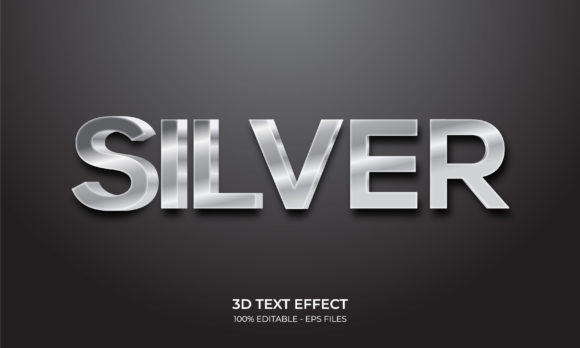
3D White Photoshop Text Effect
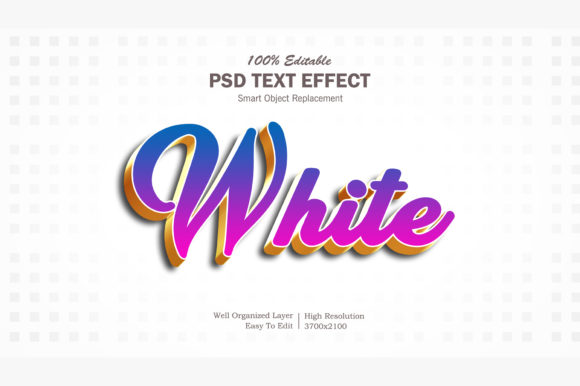
A 3D White Photoshop Text Effect is a layered, non-destructive Photoshop technique—or sometimes a pre-built action or layer style—that renders text with depth, lighting, and surface definition while maintaining a clean, high-contrast white appearance against most backgrounds. Unlike basic drop shadows or bevels, a well-executed version simulates realistic light interaction: subtle highlights along the top-front edge, soft mid-tone gradients on angled surfaces, and carefully controlled shadow fall-off beneath and behind the letters. It’s not just visual flair—it’s a functional design tool used to elevate headlines, logos, UI labels, social media banners, and presentation assets where clarity, sophistication, and spatial presence matter.
What Sets a High-Quality 3D White Photoshop Text Effect Apart
Not all 3D white text effects deliver consistent results. The strongest versions share several observable traits:
- Non-destructive workflow integration: Uses smart objects, adjustment layers, and layer styles—no rasterized merges or flattened layers. This allows real-time tweaking of depth, angle, lighting direction, or material finish without starting over.
- Background-agnostic contrast: Maintains legibility and visual integrity whether placed over solid colors, gradients, textures, or photographic imagery. This relies on precise shadow opacity, highlight blending modes (like Overlay or Soft Light), and optional outer glows tuned for luminance—not just brightness.
- Controlled dimensionality: Avoids exaggerated extrusion that reads as cartoonish or dated. Depth typically ranges from 5–18 pixels depending on font weight and canvas size, with perspective applied subtly—often via manual transform or vanishing-point-aware layer duplication rather than brute-force skewing.
- Material realism: Incorporates slight surface variation—such as a matte, semi-gloss, or frosted glass interpretation—through gradient overlays or noise layers at low opacity. Pure flat white rarely reads as “3D”; it’s the interplay of tone and texture that sells the illusion.
In practice, these characteristics translate to faster revisions, fewer client rounds, and more predictable output across projects. A designer working on a SaaS dashboard, for example, can apply the same 3D White Photoshop Text Effect to both a primary CTA button label and a section headline—adjusting only scale and ambient light intensity—and retain visual cohesion.
Real-World Performance and Workflow Fit
The 3D White Photoshop Text Effect performs best when integrated early in a layout phase—not as a last-minute polish. Because it affects spacing, hierarchy, and perceived weight, applying it after finalizing typography size and tracking avoids awkward repositioning or cropping issues. Users report highest efficiency when combining it with paragraph and character styles in Photoshop’s Character panel, especially when animating text for motion graphics exports (e.g., MP4 via Render Video).
It also scales reliably. When used on vector-based type layers, the effect remains crisp at any resolution—critical for multi-output projects like print brochures, web banners, and Instagram carousels. That said, performance depends heavily on how the effect was built. Actions relying on fixed pixel values (e.g., “add 12px bevel”) may misfire on very small or ultra-large type. More robust versions use relative sizing—linking depth to font size via expressions or smart object scaling—making them adaptable across contexts.
Who Benefits—and Where It Adds Measurable Value
Professionals who regularly produce branded visual content see the clearest ROI from mastering or deploying a reliable 3D White Photoshop Text Effect:
- Marketers and growth teams use it to increase click-through rates on static ad creatives—white 3D text stands out sharply against dark-mode interfaces and video thumbnails without violating platform contrast guidelines.
- Freelance designers and agencies embed it into standardized template libraries, cutting production time by 20–30% on recurring asset types: email headers, webinar slides, and Shopify banner variants.
- Educators and course creators apply it to key concept labels in explainer graphics, improving information retention; studies in visual cognition suggest moderate dimensional cues enhance memory encoding for abstract terms.
- Small business owners managing their own visuals benefit most from pre-configured actions—provided they’re compatible with current Photoshop versions (CC 2022 or later) and include clear documentation. One-click execution lowers the barrier without sacrificing polish.
It’s less suited for heavy typographic experimentation—such as distressed, handwritten, or variable-font applications—where the 3D structure may compete with expressive letterforms. Likewise, accessibility reviewers caution against using it alone for critical interface text unless sufficient contrast ratio (at least 4.5:1 against background) is verified post-application using tools like Photoshop’s Color Blind Proof Setup or browser-based contrast checkers.
Quality, Flexibility, and Long-Term Usability Considerations
A truly flexible 3D White Photoshop Text Effect doesn’t lock users into one aesthetic. The best versions allow independent control over:
- Extrusion depth and angle,
- Highlight intensity and position (top-left vs. centered light source),
- Shadow diffusion and distance,
- Surface reflectivity (via opacity and blending mode adjustments),
- Optional ambient occlusion for recessed corners.
This granularity matters when adapting to brand guidelines. A healthcare startup might reduce gloss and increase shadow softness for a calm, trustworthy feel, while a tech hardware launch could sharpen highlights and tighten depth for precision and energy. Consistency across touchpoints—website hero, trade show signage, investor pitch deck—is easier to maintain when the underlying effect behaves predictably across devices and export formats.
Long-term value also hinges on compatibility and maintenance. Photoshop updates occasionally deprecate legacy layer style parameters or scripting syntax. Reputable sources provide version notes and update paths; avoid assets with no revision history or support channel. Also note that some “3D White Photoshop Text Effect” downloads bundle unnecessary extras—stock textures, unrelated brushes, or upsell prompts—which bloat file size and complicate troubleshooting.
Practical Recommendations for Getting Started
If you’re evaluating a specific 3D White Photoshop Text Effect resource—whether a free action, paid pack, or custom-built method—test it across three scenarios before full adoption:
- Apply it to a bold sans-serif (e.g., Montserrat Bold) at 48pt on a #1a1a1a background,
- Repeat with light-weight serif (e.g., Playfair Display Light) at 24pt over a busy photo,
- Then scale the same layer to 200% and verify no pixelation or alignment drift in highlights or shadows.
Watch for unintended side effects: excessive layer count (>12 layers per word), ungrouped masks that break when resizing, or hardcoded color fills that prevent quick recoloring. If editing requires digging into 7 nested layer groups just to adjust shadow opacity, the effect likely sacrifices usability for visual complexity.
For those building from scratch, start with a base white type layer, duplicate it twice, and offset the copies vertically/horizontally in precise increments (e.g., +2px/+2px for highlight, –3px/–3px for shadow). Use Layer > Create Clipping Mask to restrict gradients and noise to each copy—this keeps edits localized and non-destructive. Save the stack as a layer group with a descriptive name like “3D White – Matte Finish,” then convert to a smart object for reuse.
Ultimately, the 3D White Photoshop Text Effect earns its place not because it’s flashy, but because it solves recurring problems: drawing attention without clutter, reinforcing hierarchy without extra elements, and delivering professional polish with repeatable efficiency—especially when time, consistency, and visual authority are non-negotiable.